The traditional bug reporting workflow is broken. A user reports a bug. A developer asks, "Can you send a screenshot?" The user sends a screenshot. The developer asks, "What browser are you using?" This back-and-forth continues for 30+ minutes. By the time the developer has enough context, they've wasted hours. Session replay fixes this by letting developers watch exactly what the user did before reporting the bug.
The Problem: Traditional Bug Reporting Is Slow
Here's the typical workflow:
- User reports bug: "The checkout page is broken"
- Developer asks: "Can you send a screenshot?"
- User sends screenshot
- Developer asks: "What browser are you using?"
- User responds: "Chrome"
- Developer asks: "What version?"
- User responds: "I don't know"
- Developer asks: "Can you reproduce it again and send console logs?"
- User: "I don't know what that is"
- Developer spends 2 hours trying to reproduce the issue
This is frustrating for everyone. The user doesn't understand technical questions. The developer wastes hours. The bug doesn't get fixed for days.
The Solution: Session Replay
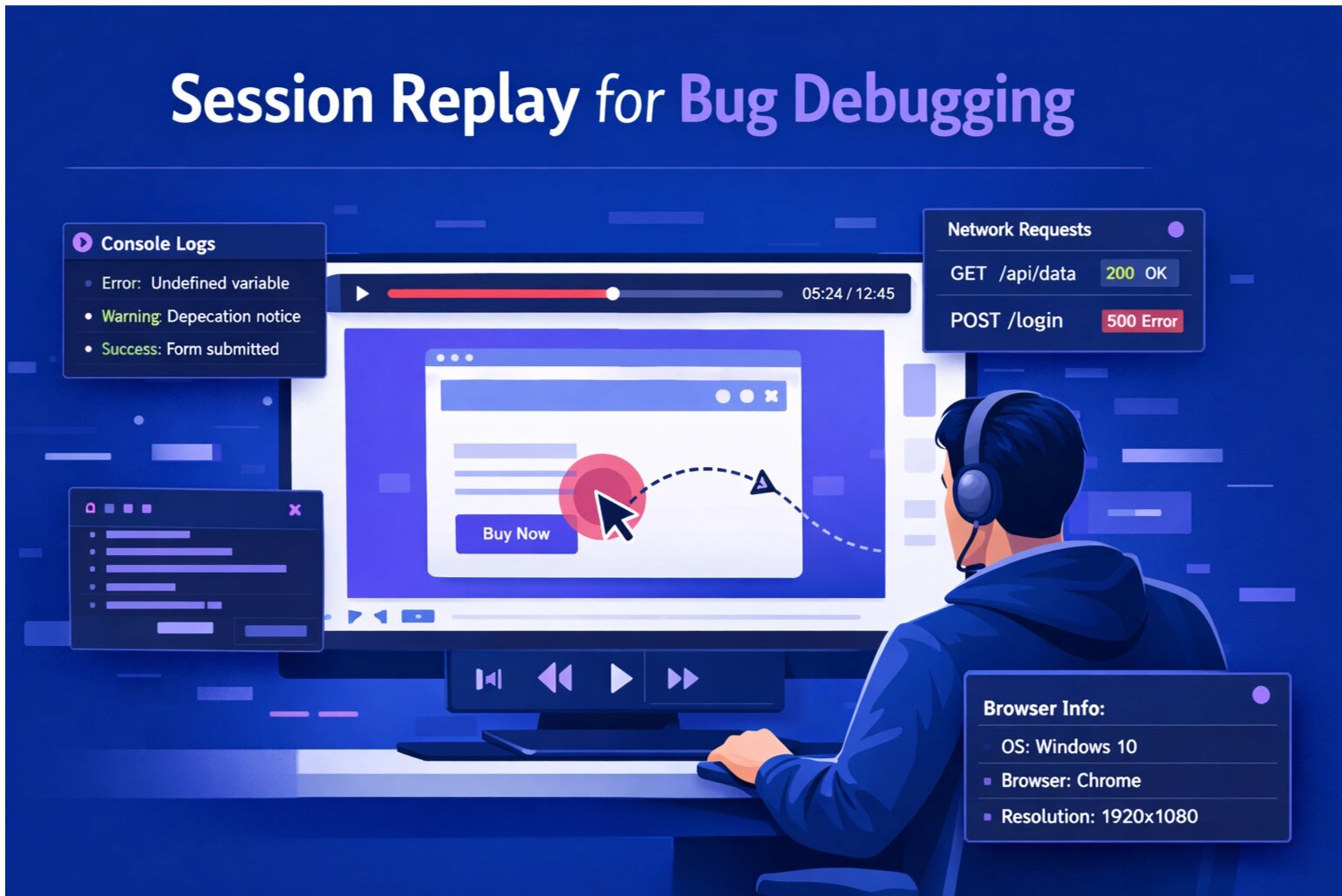
Session replay records a video of the user's browser session. When a user reports a bug, the developer can watch a video of exactly what happened.
Instead of asking questions, the developer sees:
- Every click and interaction
- Every form input
- Every page transition
- Every error message
- Console logs and network requests
- Browser and device information
The developer goes from "I have no idea what happened" to "I found the bug" in 60 seconds.
How Session Replay Works
Session replay works by recording a lightweight video of the user's browser. Here's how:
- User visits your site: A small JavaScript snippet is loaded
- Session starts recording: The snippet captures user interactions (clicks, scrolls, form inputs)
- User reports bug: The session recording is attached to the bug report
- Developer watches video: The developer can see exactly what happened
- Bug is fixed: No follow-up questions needed
The entire process takes seconds. No manual setup. No technical knowledge required from the user.
What Session Replay Captures
Modern session replay tools capture far more than just video. SnagRelay captures:
- User interactions: Clicks, scrolls, form inputs, page transitions
- Console logs: JavaScript errors, warnings, and debug messages
- Network requests: API calls, response codes, response times
- Browser metadata: Browser type, version, OS, device type
- Performance metrics: Page load time, interaction latency
With all this information, developers can debug issues in minutes instead of hours.
Real-World Example: Debugging a Payment Error
Imagine a user reports: "I can't complete my payment."
Without session replay:
- Developer asks: "What error did you see?"
- User: "I don't remember"
- Developer asks: "What browser are you using?"
- User: "I think Chrome?"
- Developer asks: "Can you try again and send me a screenshot?"
- User tries again, but the issue is intermittent
- Developer spends 2 hours trying to reproduce
- Bug takes 3 days to fix
With session replay:
- Developer watches the session recording
- Sees the user fill out the payment form
- Sees the form submit
- Sees the error: "Invalid postal code format"
- Checks console logs: "Regex validation failed for Canadian postal code"
- Finds the bug: The regex doesn't accept Canadian postal codes
- Fixes the bug in 15 minutes
Privacy Considerations
Session replay records user interactions, which raises privacy concerns. Here's how responsible tools handle this:
- Mask sensitive data: Credit card numbers, passwords, and SSNs are automatically masked
- User consent: Users should know their sessions are being recorded
- Data retention: Sessions should be deleted after a set period (e.g., 30 days)
- Compliance: Tools should comply with GDPR, CCPA, and other privacy regulations
SnagRelay masks all sensitive data and complies with privacy regulations.
Session Replay Best Practices
- Use it for debugging, not surveillance: Session replay is a debugging tool, not a way to spy on users
- Be transparent: Tell users their sessions are being recorded
- Respect privacy: Mask sensitive data and delete old sessions
- Focus on errors: Only record sessions that result in bug reports
Conclusion
Session replay is a game-changer for bug debugging. Instead of asking users endless questions, developers can watch exactly what happened. Bugs get fixed faster. Users are happier. Your team moves quicker.
Ready to speed up your debugging? Try SnagRelay's session replay free for 14 days. Watch user sessions, see console logs, check network requests. All captured automatically. No credit card required.