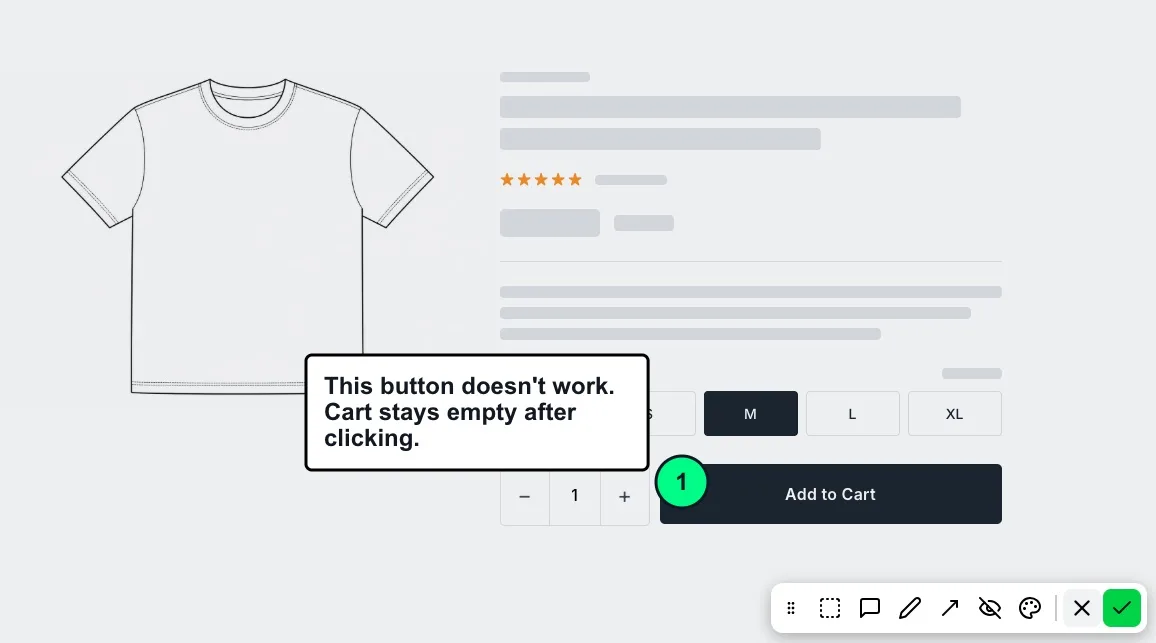
Capture, then mark
When the reporter files a report, the widget captures the page. They mark it with a pen, arrows, highlights and comments, and use hide to cover anything sensitive before it leaves the browser. They can pick a colour for each mark.
Marks that mean something
A circle on a screenshot is ambiguous to a person and meaningless to an agent. Each mark in SnagRelay carries the element under it (its label, component and selector), so "this button" arrives as the button, not as pixels. See visual bug reporting for designers and QA.
Pixel-exact when the page is tricky
When the report is sent from the SnagRelay Chrome extension, the screenshot is taken from the tab itself, so iframes, canvas and video match what the reporter sees.
On every plan
Screenshots and markup are on every plan, including Free, next to the element the user pointed at, errors, console, requests with bodies and session replay. Video is on paid plans. See pricing.